.png)
Create Dynamic Upsell Blocks for Every Product Page
Pre-requisites:
Before you begin, ensure you have:
- Dynamic Content & Settings Per Product
- Dynamic fields: Metafield and Metaobjects
- Product Variant Metafields/Metaobject Guide
Overview
By using product metafields and connecting them to your Upsell block, you can dynamically show different upsell products per product page, without manually selecting products in the theme editor every time.
Step 1: Create a Product Metafield Definition
- In your Shopify admin, go to Settings.
- Navigate to Metafields and metaobjects.
-
Under Metafield definitions, click Products.
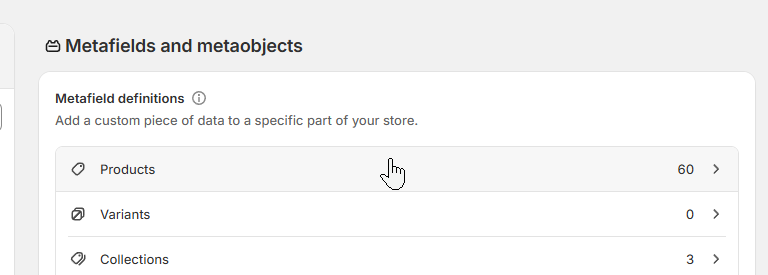
-
Click Add definition.
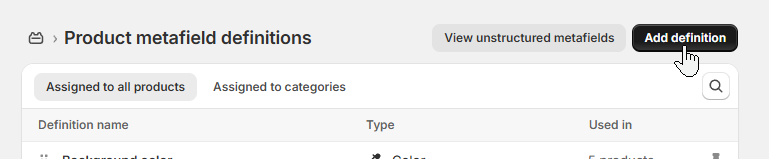
- In the new definition:
- Name your metafield definition (required).
- Add a Description (optional).
- Set Content type to Product (required).
-
Choose List of products.
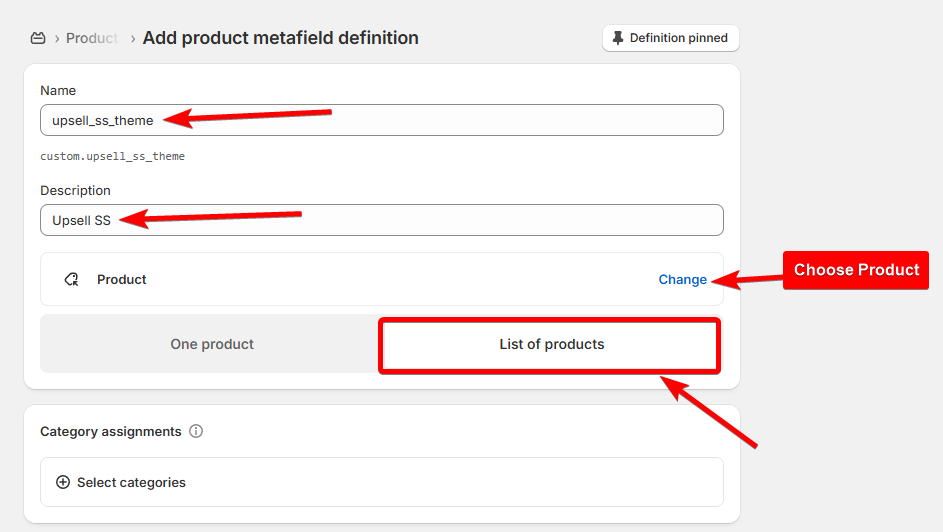
- Double-check all fields, then click Save.
Step 2: Connect the Metafield to Your Upsell Block
- In your Shopify admin, open the Theme editor.
-
Select the Upsell block.
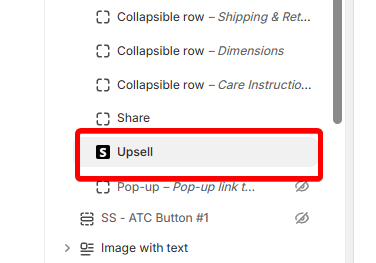
-
Next to the Products field, click the database icon (triple stacked circles).
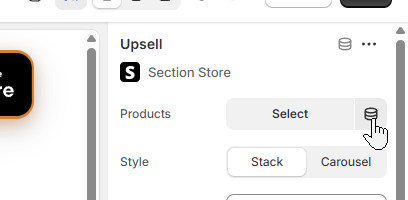
-
From the metafield list, choose the metafield definition you created (for example,
upsell_ss_theme).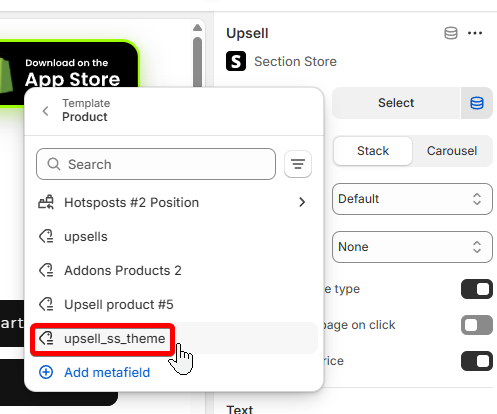
- Save your theme settings.
Step 3: Add Products to the Metafield
- Go to Products in your Shopify admin.
- Open a product you want to add to the dynamic upsell block.
- Scroll down to Product metafields.
-
Find the metafield you created and select the upsell products you want to include.
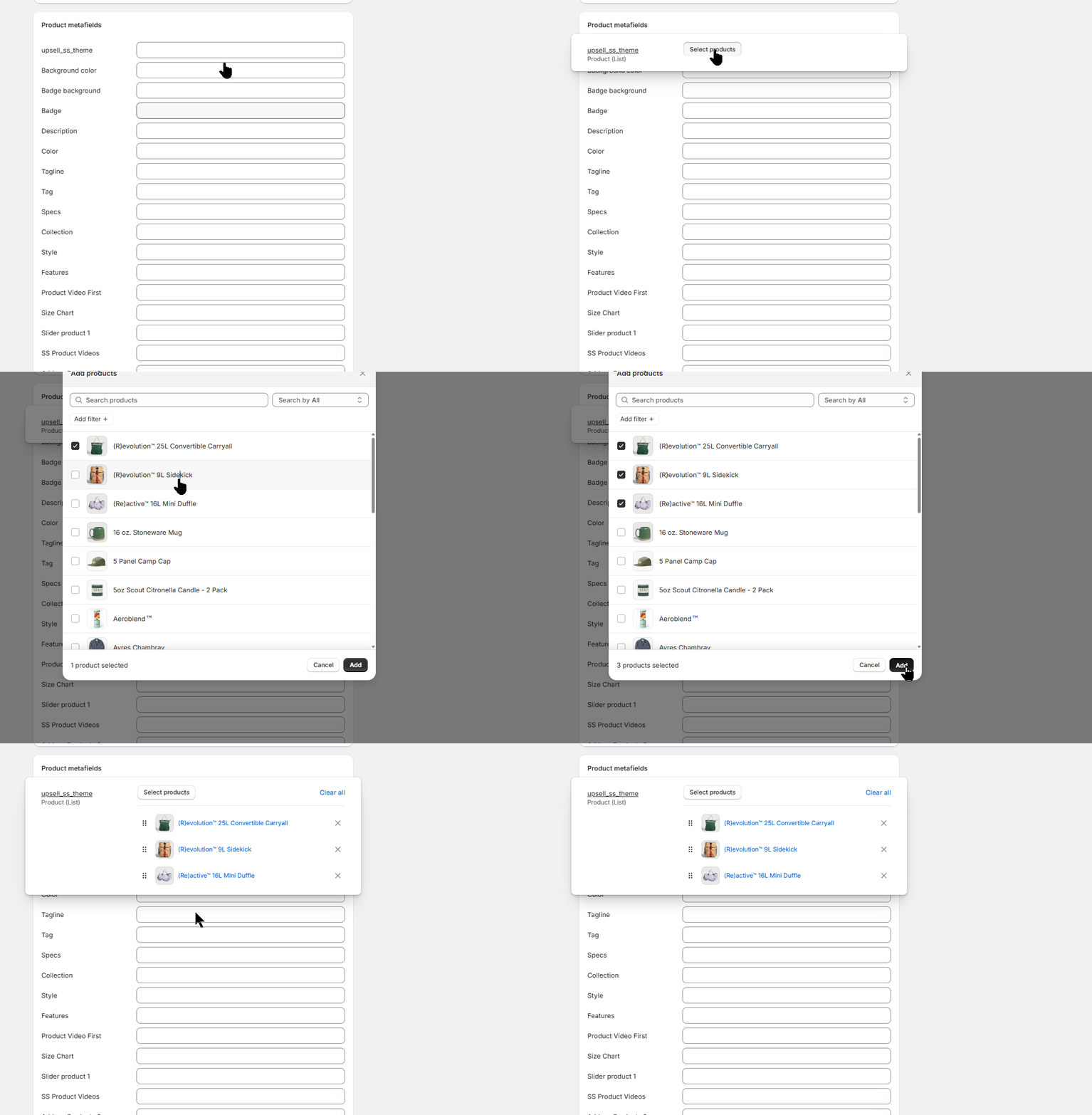
- Click Save.
Tip: If you can’t find your metafield, you may have too many pinned definitions. Click View all to see the full list.
Expected output:
After completing the steps above, your product pages will display upsell products dynamically, without needing to manually select them in the theme editor.
To add upsell products to more products, simply repeat Step 3 for each product.

If you have any questions, feel free to contact us. We're always here to help.