.png)
Simple way to change product template
If you want to assign a product template to multiple products, visit this article:
Otherwise, proceed with the steps below.
This guide will show you the easiest way to change the product template for your products.
- Go to theme editor
- Choose any product template.
-
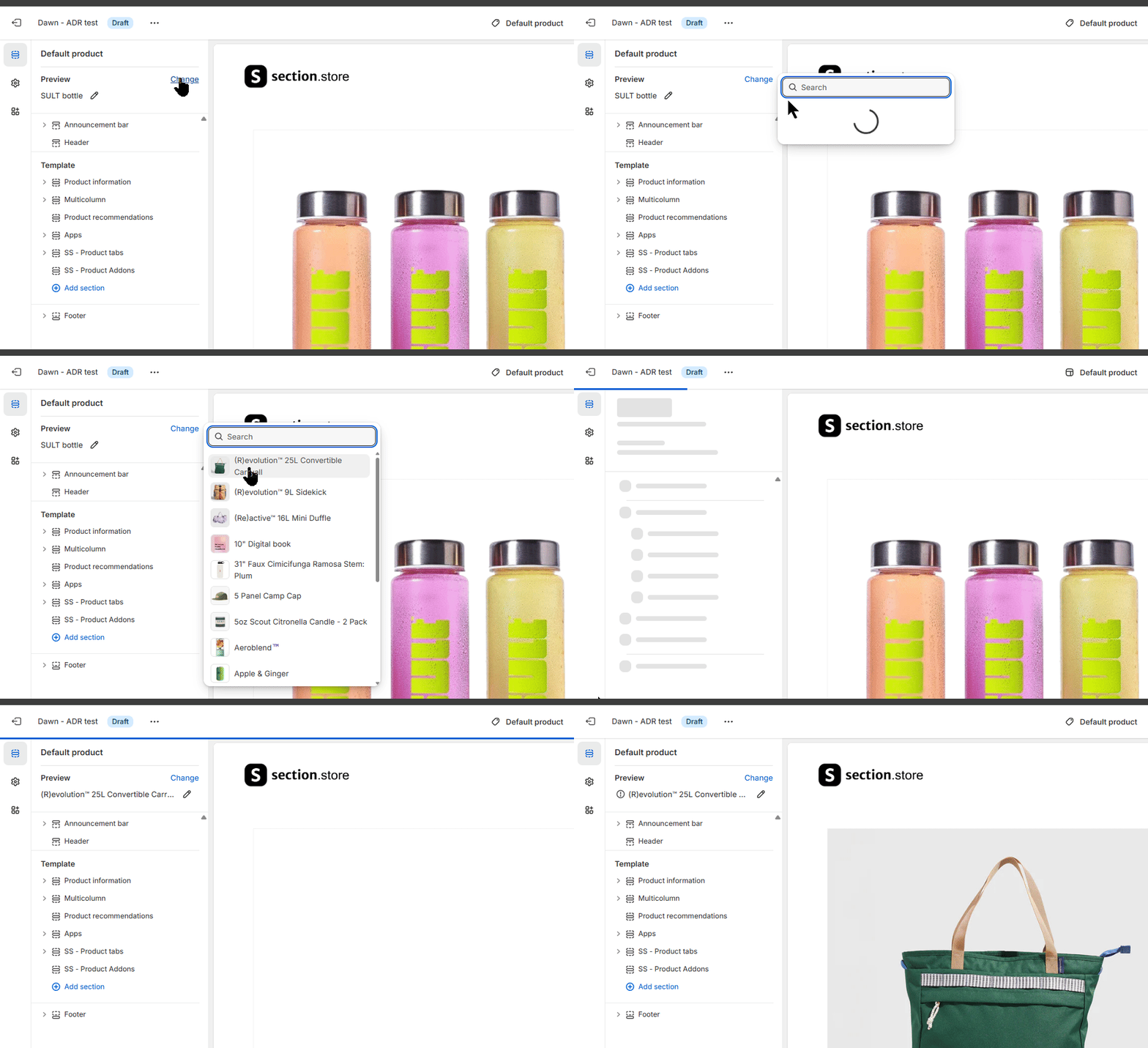
On the "Preview" group, click the "Change" link and select your product you wanted to update the product template.
-
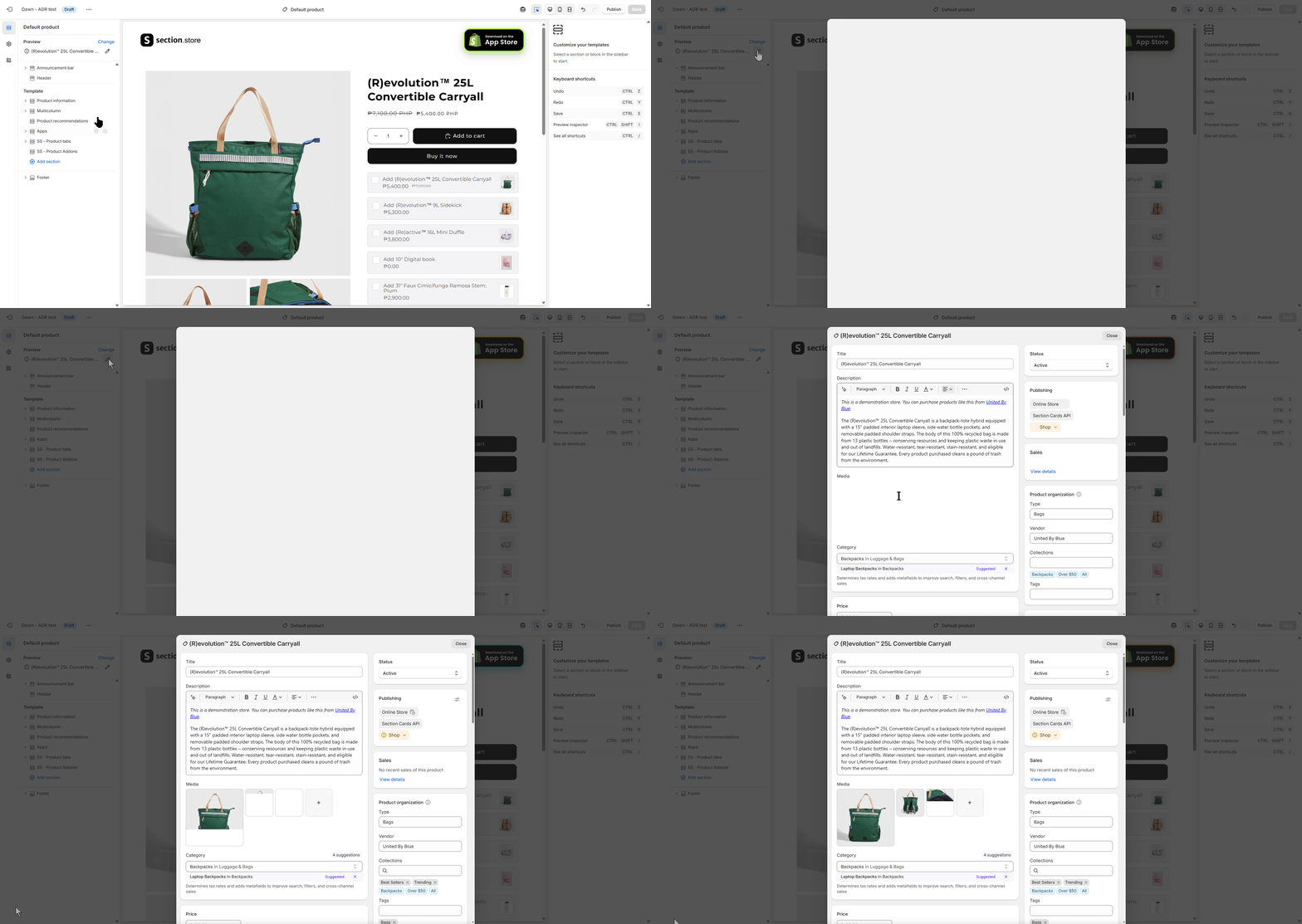
After you chose the product, click the "Pen" icon to edit your product. This will open the product page in popup window.
-
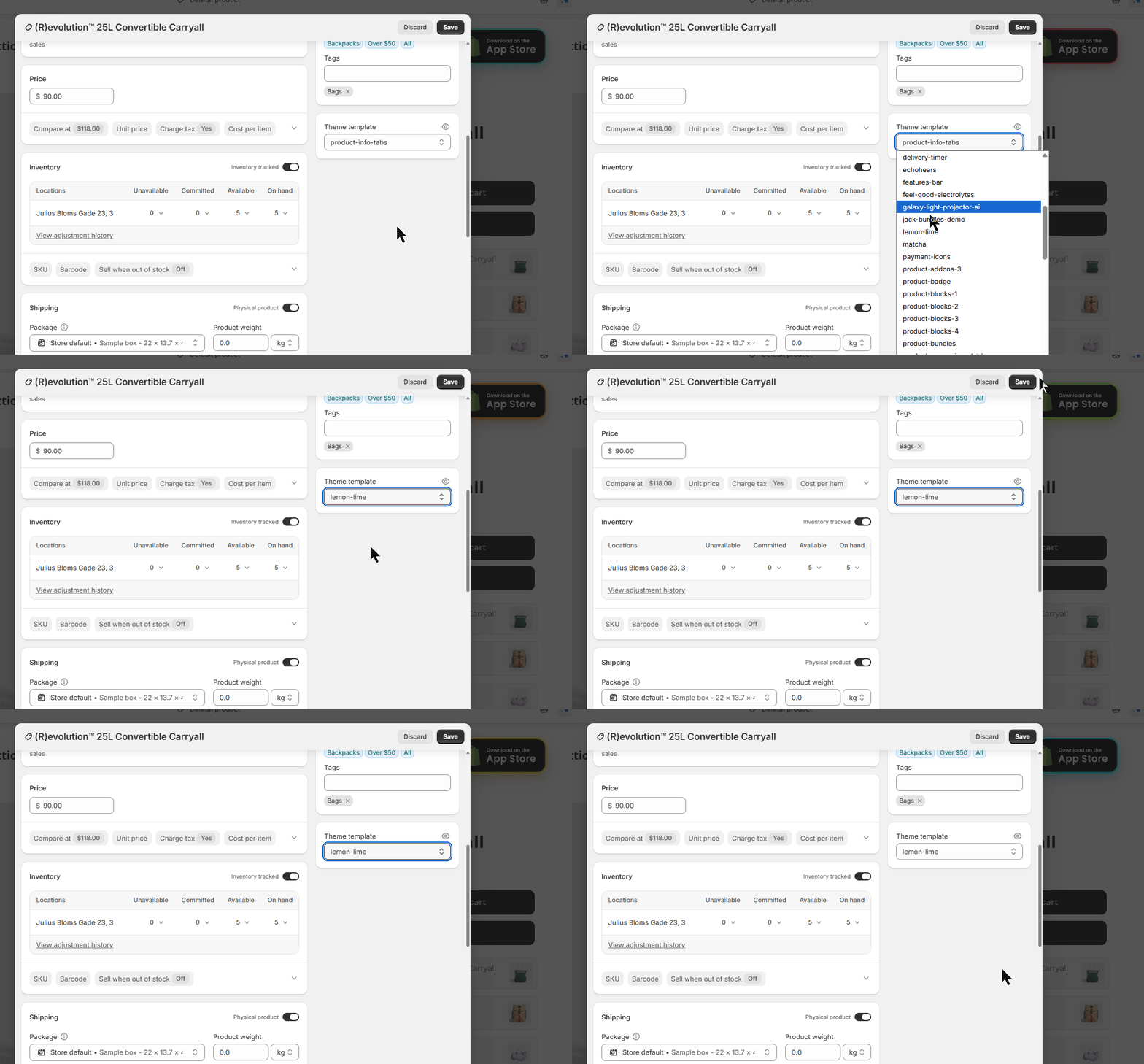
By there, you may be able to switch product templates.
Now you have it. The simple way of changing product templates for your products. Feel free to contact us if you need further help or have some questions.